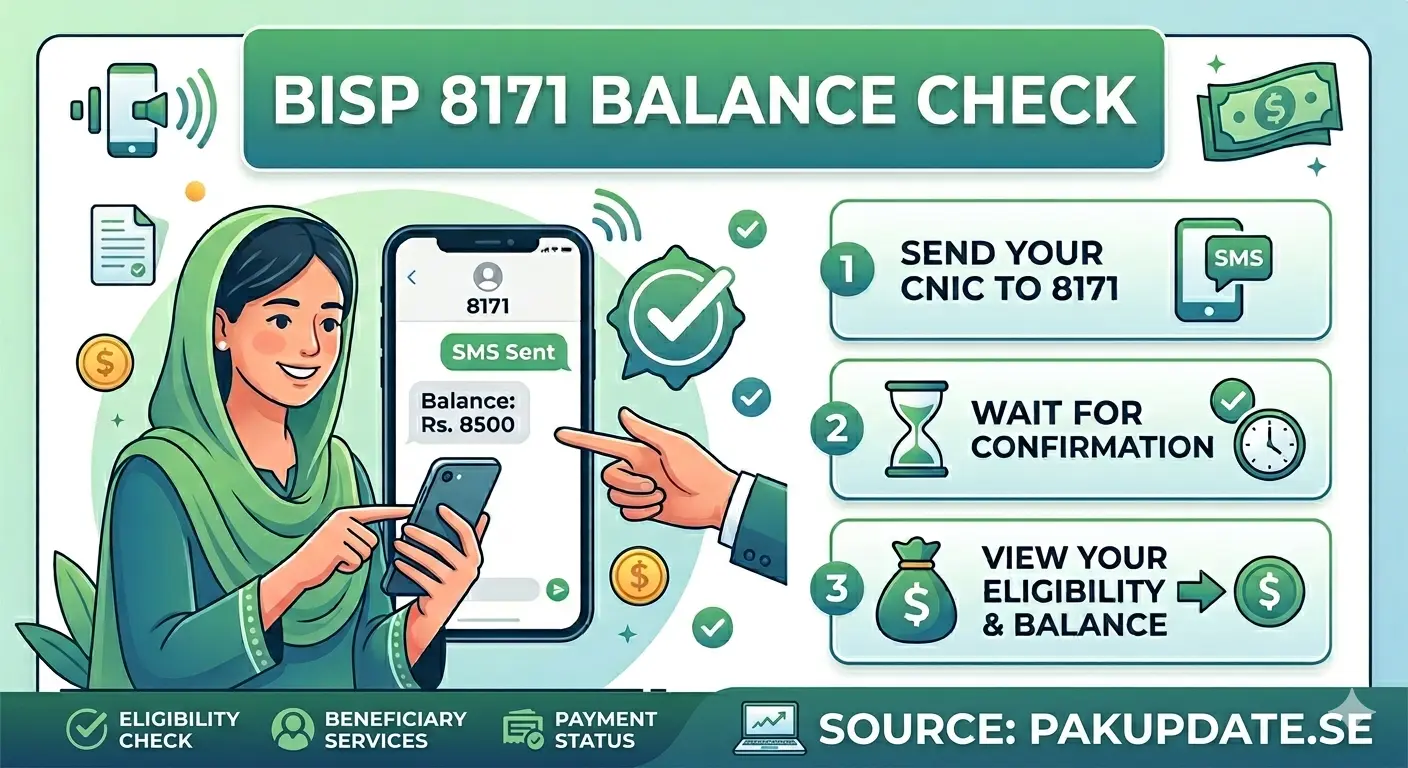
The Benazir Income Support Programme (BISP) helps millions of families in Pakistan by providing financial support. In 2026, the government has made it easier than ever to check your payment using the 8171 balance inquiry code. You can now verify your eligibility and payment status from your mobile phone or online without visiting any office. This simple system saves time, reduces travel costs, and gives quick results. Whether you live in a city or a village, you can access your BISP payment details in just a few steps.
In this guide, you will learn how to check your BISP balance through SMS and the online portal. We will also explain common problems, safety tips, and expert advice to help you avoid scams and get accurate information. Follow this complete guide to enjoy a smooth and hassle-free BISP balance checking experience.
How to Check Your BISP Payment
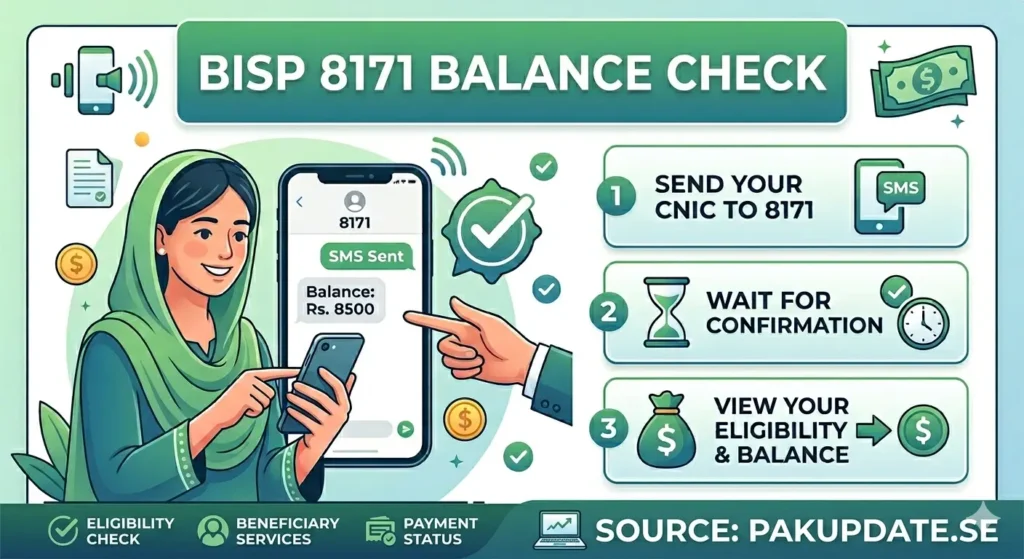
You can check your BISP payment for free using two easy methods. First, send your CNIC number to 8171 via SMS. Second, visit the official BISP portal online. Both methods give you quick results about your eligibility and payment status. You do not need to pay any fee. Always use official channels to avoid fraud.
BISP 8171 Balance check & Inquiry Code 8171
The 8171 code is an official SMS service launched by the Benazir Income Support Programme. It allows registered users to check their payment details by sending their CNIC number. The system replies with your eligibility status and payment information within seconds.
Who Can Use the Balance Inquiry Code
Anyone registered in the Benazir Income Support Programme can use this service. It is especially helpful for:
- Low-income families
- Women beneficiaries
- People without internet access
- Residents of rural areas
Step by Step Guide to Check Balance via SMS
Step 1: Open Your Messaging App
Open the SMS app on your mobile phone.
Step 2: Type Your CNIC Number
Enter your 13-digit CNIC number without dashes.
Step 3: Send It to 8171
Send the message to 8171.
Step 4: Read the Reply Message
Wait a few seconds. You will receive your payment details.
Step 5: Keep Record of SMS
Save the message for future reference.
Common Example
Type: 1234567890123
Send to: 8171
Safety Tips
- Always send SMS from your own number
- Never share CNIC with unknown people
- Avoid fake messages and agents
Checking Balance Through BISP Portal
- Visit the Official Website
- Go to the official BISP 8171 web portal.
- Find the Balance Inquiry Section
- Locate the eligibility or balance check option.
- Enter Your CNIC
- Type your CNIC number carefully.
- Submit and View Results
- Click submit to see your payment status.
- Download or Print Your Status
- Save or print the result for records.
- Why the Portal Matters
- The portal provides detailed and accurate information.
- Mobile Users Tip
Use a stable internet connection for better results.
Common Issues With Balance Inquiry
SMS Not Delivered or No Reply
Check your network or try again later.
Incorrect CNIC Format
Always enter 13 digits without dashes.
CNIC Not Linked With BISP
Visit the nearest office for verification.
Portal Downtime or High Traffic
Try again during off-peak hours.
Using Fake Websites or Apps
Always use official sources only.
Old Mobile Numbers
Update your number in BISP records.
No Response Even After Multiple Tries
Contact the helpline for support.
Portal Shows Different Data Than SMS
Wait for system updates or verify again.
Payment Received but Not Showing
Allow time for system refresh.
Wrong Information in Reply
Report the issue immediately.
Tips to Ensure Accurate Balance Checking
- Use Only the Official Number
- Always use 8171.
- Keep Your CNIC Updated
- Ensure your CNIC details are correct.
- Maintain the Same Mobile Number
- Use your registered number.
- Don’t Depend on Agents
- Avoid paying unnecessary fees.
- Use Portal + SMS Together
- Double-check your information.
- Try During Low-Traffic Hours
- Use the system early morning or late night.
- Save Every Confirmation
- Keep SMS records for proof.
- Verify Network Signals
- Ensure strong mobile signals.
- Clear Old App Cache
- Improve mobile performance.
- Stay Alert for Scams
- Avoid fake calls and messages.
How to Report Errors in Balance Inquiry
Step 1 – Use the 8171 Helpline
Call the official helpline for guidance.
Step 2 – Visit Your Nearest Tehsil Office
Speak directly with BISP staff.
Step 3 – Online Complaint Portal
Submit your complaint online.
Step 4 – Social-Media Verification
Use official social media pages only.
Common Errors That Can Be Fixed
- Incorrect CNIC data
- Missing payments
- Eligibility issues
Keep Receipts Safe
Always keep your documents and SMS.
Follow-Up Timeline
Follow up within a few days if needed.
Benefits of Using the Balance Inquiry Code
Saves Time and Travel
No need to visit offices.
Completely Free
No charges for SMS or portal use.
Empowers Women
Women can check payments independently.
Increases Transparency
Clear and direct information.
Helps Financial Planning
Track payments easily.
Reduces Queue Pressure
Less crowd at offices.
Encourages Digital Awareness
Promotes digital use in Pakistan.
Works Anytime, Anywhere
Access your information anytime.
Final Advice – Monitor Monthly for Smooth Payments
Check your BISP balance regularly to avoid delays or issues. Always use official channels like 8171 and the official portal. Stay alert, keep your records safe, and update your information when needed. Regular monitoring ensures smooth and timely payments.
Conclusion
The Benazir Income Support Programme has made balance checking simple and accessible through the 8171 SMS service and the official online portal. You can quickly verify your payment status without visiting any office or paying extra charges. By following the correct steps and using only official channels, you avoid delays, errors, and scams. Always keep your CNIC details updated, use your registered mobile number, and save confirmation messages for record-keeping. Regularly checking your balance helps you stay informed about your payments and plan your finances better. In 2026, this easy system ensures transparency, convenience, and peace of mind for every BISP beneficiary across Pakistan.
FAQs
What is the official BISP balance inquiry code?
The official code is 8171.
How do I check my payment through SMS?
Send your CNIC number to 8171.
Is this service free?
Yes, it is completely free.
Can I use the online portal instead?
Yes, you can check through the official website.
What if I don’t receive an SMS reply?
Try again or contact the helpline.
Who is eligible to use the code?
Registered BISP beneficiaries.
How often should I check my balance?
Check monthly or before payment dates.
Can I check for someone else?
Yes, with their CNIC number.
Where do I report wrong information?
Report through helpline or BISP office.




1 thought on “BISP 8171 Balance check”